New in the simulator: RIGEL ullage watch
RIGEL can now watch a cargo tank while it loads or discharges to a target level, throttle near the top and shut the valve at the target.
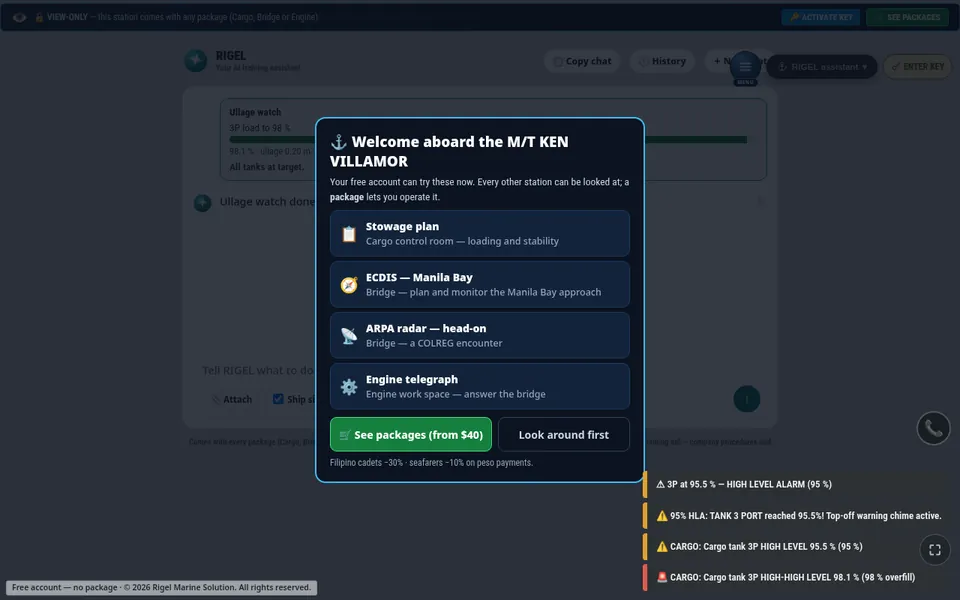
RIGEL, the assistant inside the M/T KEN VILLAMOR simulator, can now keep an ullage watch on the cargo tanks.
What it does
Ask RIGEL something like "load tank 3 port to 97 %". RIGEL sees every tank level, and a watch card shows the level of each tank in the task.
- Loading: a few percent before the target, it throttles the tank's drop valve to slow the flow for topping off. At the target it shuts the valve. It warns you at the 95 % high-level alarm and never aims above the 98 % overfill line.
- Discharging: at the low target it stops the pump and shuts the discharge valve.
You stay in charge
Nothing happens until you tap OK. Each step goes through the same controls and interlocks as your own tap, and you can stop the watch at any time. In guide mode RIGEL only tells you what to do and you work the valves yourself.
Read more about RIGEL's Task, Guide and Chat modes.
Why it helps training
Topping off is where overfills happen. Watching RIGEL slow and stop a tank, and then doing it yourself in guide mode, is a good way to learn the timing.
Practise it in the simulator
Try this on the M/T KEN VILLAMOR tanker simulator, in your browser or on the Windows app.
Open the simulatorMore posts
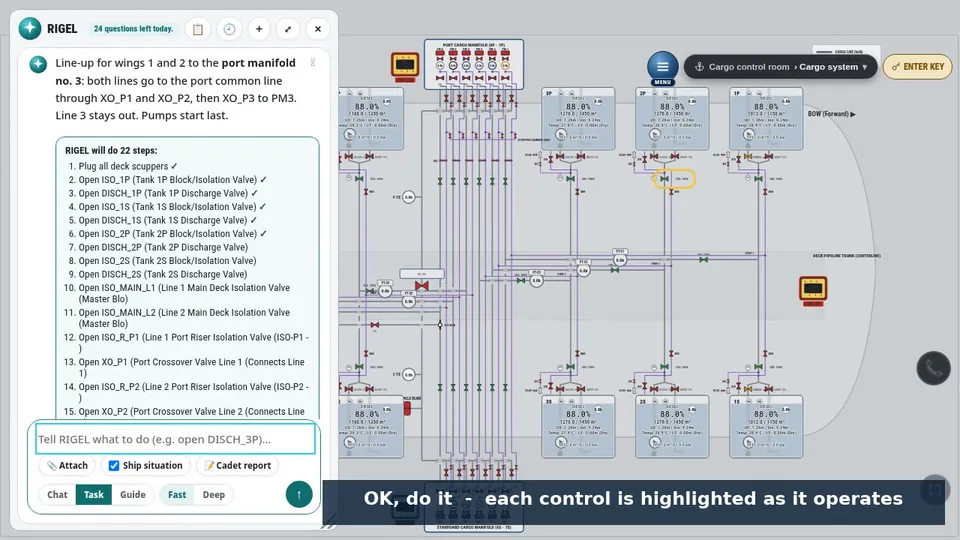
RIGEL: an instructor inside the simulator
Give RIGEL a task, let it teach you step by step, or ask it questions. How Task, Guide and Chat mode work in the M/T KEN VILLAMOR simulator.
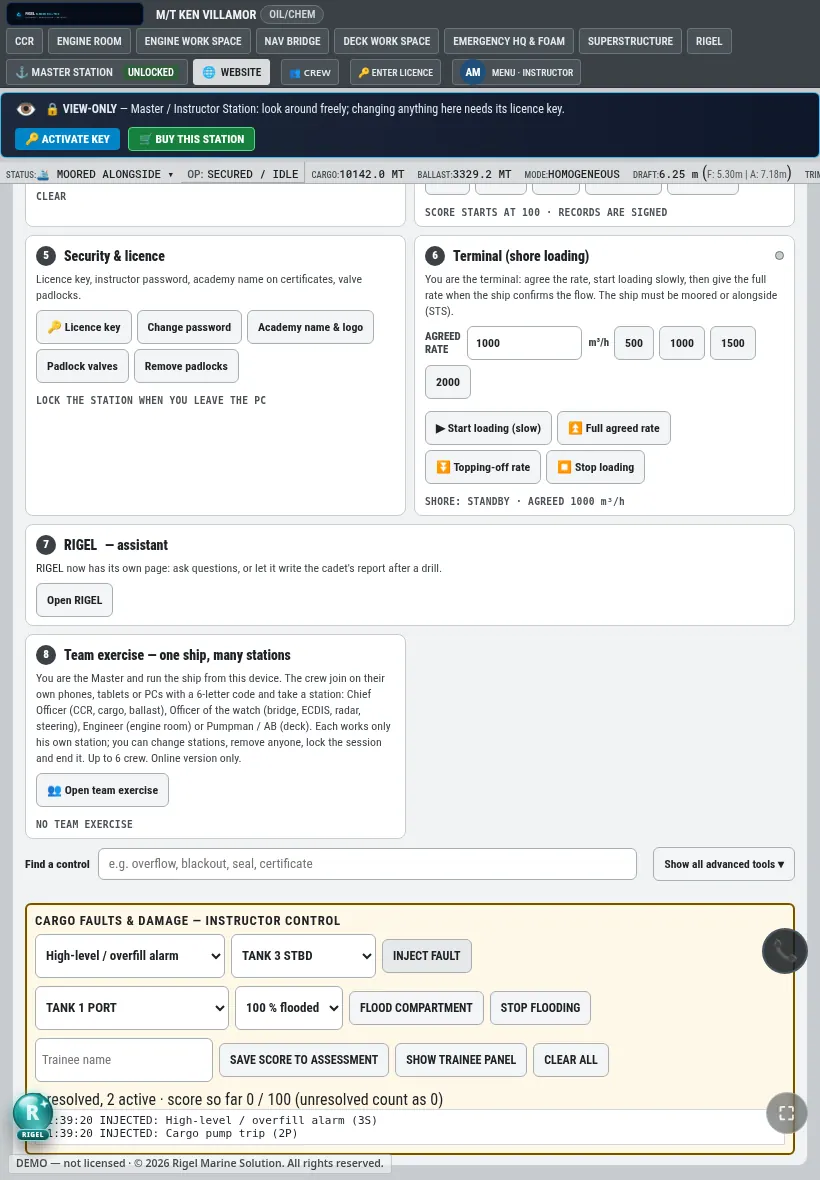
New in the simulator: one instructor control page
The instructor station now puts the run, environment, traffic, faults, cargo and flooding, live assessment and incident save on a single page.